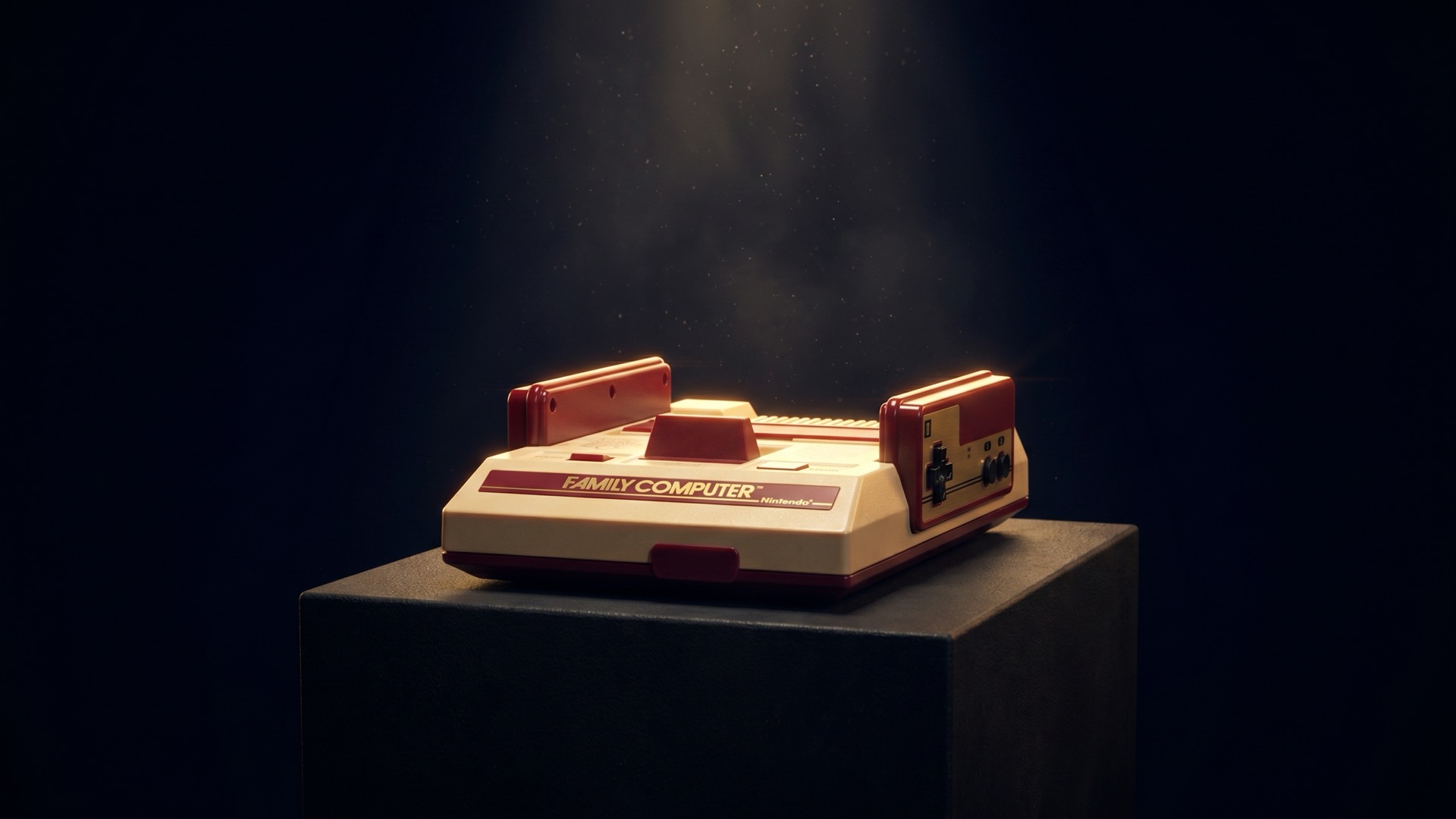
All photographs — genuine units from the Enjoy Game Japan inventory. Toyohashi, Japan.
Japan's cartridge revolution — held to a brutal price, and won on its software.
About the Family Computer (Famicom) / NES
On July 15, 1983, Nintendo put the Family Computer on sale in Japan. It is better known by its short name, Famicom. Its chief designer was Masayuki Uemura. Outside Japan, the machine was redesigned and sold as the Nintendo Entertainment System (NES): in North America from 1985, and in Europe from 1986. The games that made it famous came next. Shigeru Miyamoto and Takashi Tezuka made Super Mario Bros. in 1985. The Legend of Zelda, Metroid and Dragon Quest followed in 1986. In 2013, thirty years after the launch, Uemura said: "In the end, what matters in a game is what is inside it. That is certainly true. But if the technology has not crossed a certain line, you cannot make that happen either."
Built in the year the game industry died, by an engineer who expected it to fail.
In July 1983, the North American video game market was collapsing — from $3.2 billion to what would become less than $100 million within two years. Masayuki Uemura, the engineer who designed the Famicom, later described receiving the assignment as feeling like 'a general given a mission after the war was already lost.' The CPU he chose was not the most advanced option: it was a Ricoh-made 6502 compatible, selected because the licensing was already in place and the cost was a fraction of any alternative. The target price was ¥9,800; after stripping everything to the floor, ¥14,800 was the minimum they could manage. When the Famicom eventually sold 61 million units and rebuilt an industry from rubble, Uemura said he genuinely did not understand why it had worked.
— inspired by Masayuki Uemura
Design Characteristics
Form & Feel
The Famicom is immediately recognisable: a red-and-white plastic chassis — deep burgundy red on the top half, cream white on the lower — with a top-loading cartridge slot and two hardwired controllers that store neatly in channels along either side of the console. Those controllers cannot be unplugged; they are part of the machine. The Player 1 controller carries A and B buttons, a D-pad, and Start/Select. Player 2 is subtly different: it omits Start and Select, and in their place carries a small built-in microphone — used by a handful of games, including Zelda II, for voice input. The D-pad itself is the invention that changed everything. Designed by Nintendo engineer Gunpei Yokoi for the Game & Watch handhelds, it arrived in the Famicom as a cross-shaped directional control that fit naturally under the left thumb. Before the D-pad, joysticks were the standard — tall, awkward, and unsuited for precise two-dimensional movement. The D-pad became the template every controller that followed would imitate.
Era & Context
The World It Was Born Into
The Famicom launched on July 15, 1983, into a Japan that was experiencing a consumer electronics boom. Sony's Walkman had just reshaped personal audio. Home computers — Sharp's MZ series, NEC's PC-88, Fujitsu's FM-7 — were gaining ground among hobbyists. The Famicom was priced at ¥14,800 at launch, positioning itself below home computers and above toys. It launched with three games, all ports of Nintendo's own arcade hits: Donkey Kong, Donkey Kong Jr., and Popeye. The context in North America was entirely different. The crash of 1983 had made "video game" a phrase that retailers actively avoided. Atari's collapse — driven by low-quality licensed games, most famously the Pac-Man and E.T. ports — had burned the entire industry's credibility. When Nintendo brought the NES to North America in 1985, it arrived not as a "video game system" but as the Advanced Video System, packaged with R.O.B. (Robotic Operating Buddy) and the Zapper light gun, positioned deliberately in the toy aisles of stores like Sears, Macy's, and Toys 'R' Us. Nintendo even offered retailers a 90-day no-cost trial with buyback guarantees for unsold units. The strategy worked.
A Social Phenomenon
When the Living Room Changed
There is a moment, sometime in 1984 or 1985, that millions of Japanese families share without ever having planned to.
A child came home from school and sat down in front of the television. A parent, walking through to do something else, stopped. They watched. Then they sat down too.
This was not inevitable. The Famicom launched in July 1983 as a consumer product at ¥14,800. Within eighteen months, it had sold over two and a half million units in Japan. By mid-1986, it was in roughly one in five Japanese homes. By 1988, among boys between six and seventeen, the ownership rate had reached eighty-five percent.
The numbers describe a market. They do not describe what happened in the room.
What happened was that the arcade came home. Not a simulation of it — the actual sensation of it. The games children had fed coins into at the corner shop were now living under the television set, ready whenever the family was. Donkey Kong. Baseball. And then, in September 1985, Super Mario Bros. — which sold 1.2 million copies in its first month alone and went on to move nearly eight million in Japan.
Parents who had no particular interest in games found themselves playing. Siblings who fought about everything else negotiated over the controller. The word "Famicom" entered the language as a common noun — used by older generations to describe any game console, from any company, for the next two decades.
Something had shifted, and it was not just leisure time.
If you were there — or if someone who was there once told you about it — you already know what it felt like to sit in that room.
Engineering
How It Was Built — and Why
At the heart of the Famicom is the Ricoh 2A03 — an 8-bit CPU based on the MOS Technology 6502, running at 1.79 MHz (NTSC). Ricoh deliberately disabled the 6502's BCD (Binary Coded Decimal) mode, reportedly to avoid paying royalties to MOS Technology on the patented feature. Alongside the CPU sits the Ricoh 2C02, the Picture Processing Unit, which handles all graphics rendering — background tilemaps, up to 64 sprites (eight per scanline), and a palette of 64 values, about 54 of them usable colours, with 25 on screen at once. Together, they form an architecture that was straightforward to program for, contributing directly to the explosion of third-party software. The system's most consequential engineering decision, however, was the mapper system. Cartridges could contain additional chips — Memory Management Controllers (MMC) — that extended the console's address space, added audio channels, or provided additional processing. The MMC1 alone was used in over 220 games; the MMC3 in nearly 190. This meant that the Famicom's hardware, released in 1983, was still producing visually and technically ambitious games in 1994. The machine's practical lifespan was over a decade — powered by cartridge-side hardware that the console's designers had not yet imagined at launch.
Design Philosophy
The Belief Behind the Machine
"A game console exists for everyone — not just those who can read a manual."
When Hiroshi Yamauchi, Nintendo's president, tasked engineer Masayuki Uemura with designing the Famicom, the original brief was ambitious: a 16-bit system that could function as a full home computer, with a keyboard and floppy drive. Yamauchi rejected it. He wanted something simpler, cheaper, and — crucially — something that did not look like a computer. Computers were intimidating. Computers were for hobbyists. What Yamauchi wanted was a toy that happened to play games. That instinct shaped everything: the price point (¥14,800 — less than half the cost of competing home computers), the cartridge format over disk (game cartridges felt "less intimidating" to consumers, in Uemura's own words), the colourful red-and-white housing designed to sit on a living room shelf rather than a computer desk. Nintendo's belief was that games belonged in the family living room, accessible to everyone — children, parents, grandparents — not locked behind a keyboard in a study. This philosophy did not begin with the Famicom, but the Famicom made it real at scale. Every Nintendo console that followed — Super Famicom, Nintendo 64, GameCube, Wii — carries some echo of that original conviction: the machine exists for the joy of play, not the performance of technology.
Birth Story
How the Famicom Was Born
The Impossible Mandate
The Famicom began with a mandate that its lead engineer found almost comical. In 1981, Nintendo president Hiroshi Yamauchi instructed Masayuki Uemura, head of R&D2, to build a home console powerful enough that no competitor could replicate it for three years — and to sell it for under ¥10,000. Uemura later recalled thinking the president might be joking. The target proved optimistic: after stripping the design to its minimum, the launch price was ¥14,800. The ambition, however, remained intact.
Building Without Compromise
The development approach favored combining existing, affordable components in unexpected configurations over chasing expensive cutting-edge parts — a philosophy that would later crystallize in Gunpei Yokoi's 'Lateral Thinking with Withered Technology,' most fully realized in the Game Boy six years on. The Ricoh 2A03 CPU and 2C02 graphics processor were not the fastest chips available; they were the chips that delivered sufficient performance at a price that made the console viable for ordinary households. The cartridge format was chosen over disk media in part because it felt less intimidating to consumers — a detail that reveals how seriously Nintendo took the psychology of first-time buyers.
Launch — and a Costly Recall
The Famicom launched on July 15, 1983, priced at ¥14,800, with three arcade ports: Donkey Kong, Donkey Kong Jr., and Popeye. Initial sales were strong enough to signal real demand, but the early days were not smooth. Months after launch, a flaw in the graphics processing unit (PPU) caused certain games to freeze unpredictably. Yamauchi ordered a complete recall before the critical holiday season — absorbing the financial cost rather than shipping a flawed product to children. The decision was costly. It also built something more durable than a clean launch would have: a reputation for accountability that would define Nintendo's relationship with its audience for decades.
Opening the Platform
What transformed the Famicom from a capable piece of hardware into the center of a cultural shift was the third-party licensing revolution. In 1983 and 1984, Nintendo opened the platform to outside developers under strict quality controls — requiring that software meet Nintendo's standards before receiving the official Nintendo Seal of Quality. This was a direct response to the Atari Shock: the collapse of the North American video game market, in which a flood of licensed shovelware had destroyed consumer confidence. Nintendo's licensing system was the mechanism that prevented the same fate in Japan, and later in North America.
The Game That Changed Everything
Hardware without compelling software is just a box. For two years after launch, the Famicom was precisely that — capable but waiting. The missing piece arrived on September 13, 1985: Super Mario Bros., created by Shigeru Miyamoto and Takashi Tezuka, transformed the machine from a consumer product into a cultural institution. Homes with a Famicom became gathering places; neighborhoods organized around it. No marketing campaign manufactured that.
A Library That Defined a Medium
Super Mario Bros. was followed in 1986 by a wave of software that defined what home console gaming could be. The Legend of Zelda introduced open-world exploration and battery-backed save files — concepts that seemed radical at the time. Dragon Quest established the vocabulary of the console RPG and sold out retail stock in Tokyo overnight. Metroid brought atmospheric, non-linear exploration to the platform. Contra, Castlevania, Mega Man — the library that accumulated on the Famicom between 1985 and 1991 still represents a remarkable concentration of genre-defining work.
Cartridges That Kept Growing
The hardware outlasted most expectations because of its cartridge-side expansion system. Cartridges could carry additional chips — Memory Management Controllers, or MMCs — that extended the console's effective capabilities far beyond what the original design had envisioned. Games released in 1992 and 1993 looked and sounded like they had no business running on 1983 hardware. The Famicom's practical lifespan exceeded a decade.
Rebuilding an Industry
By 1983, the North American video game market had collapsed from $3.2 billion to under $100 million, devastated by the Atari Shock. Nintendo's 1985 US launch positioned the NES not as a video game console — a phrase retailers actively avoided — but as the Advanced Video System, bundled with the R.O.B. robotic accessory and placed in toy aisles rather than electronics departments. Retailers were offered 90-day no-cost trials with full buyback guarantees on unsold units. The strategy worked. By 1990, the Famicom and NES combined had sold over 60 million units worldwide, and the modern home console industry had been rebuilt from rubble. The conventions the Famicom established — the D-pad, the cartridge library, the third-party licensing model, the console as family living room object — defined what video games looked like for the next twenty years.
Five Things People Forget About the Famicom
The machine that became the NES carried a few secrets that never crossed the ocean — a microphone, a recall, a scarf, a keyboard, and a kiosk. Five small stories from the Family Computer's first years.
The second controller had a microphone
The Famicom's two controllers were hardwired to the console, and the second one was different from the first: in place of Start and Select, it carried a small built-in microphone. Games used it in strange and delightful ways. In the Disk System version of The Legend of Zelda, you could destroy the enemy Pols Voice by shouting into it. Takeshi's Challenge asked players to haggle with shopkeepers, sing karaoke, and reveal a treasure map — all by speaking into the pad. When the console was redesigned as the NES for the West, the microphone was removed.
"Recall them all"
Soon after the July 1983 launch, reports came in from across Japan: Famicoms were freezing mid-game. Masayuki Uemura and Gunpei Yokoi traced it to a faulty integrated circuit that could lock under certain conditions. Staff proposed replacing only the affected units. President Hiroshi Yamauchi gave a different order — recall every Famicom on the market, faulty or not, and replace the motherboard in each. It was a costly decision that briefly pulled the console from shelves. It also bought the trust that, by the end of 1984, made the Famicom the best-selling console in Japan.
It was red because of a scarf
Why is the Famicom red and white? Not, it turns out, to save money. Designer Masayuki Uemura long let the "red plastic was cheapest" explanation stand, then corrected it: the dark red was simply the colour of a scarf that president Hiroshi Yamauchi often wore because it was his favourite. Uemura also recalled Yamauchi spotting a red-and-white DX Antenna billboard from the Hanshin Expressway and declaring that those would be the machine's colours. A console that shaped a generation took its face from one man's scarf.
The "computer" was real — and it launched two legends
The "Computer" in Family Computer was not only marketing. In 1984 Nintendo released Family BASIC: a cartridge bundled with a full keyboard, and a cassette recorder for saving your work, that let owners write their own programs in a BASIC dialect built with Sharp and Hudson. More than 400,000 were sold. Two of the people who taught themselves on it would go on to shape gaming — Satoshi Tajiri, who created Pokémon, and Masahiro Sakurai, who created Kirby and Super Smash Bros.
Nintendo ran game-rewriting kiosks in 1986
Years before digital download stores, Nintendo built something close to one out of yellow plastic. The 1986 Famicom Disk System used rewritable Disk Cards, and Nintendo placed Disk Writer kiosks in toy and hobby shops across Japan. For ¥500 — roughly a sixth of the price of a new cartridge game — you could have a different game written onto a disk you already owned, and rewrite it again later. It was one of the earliest expressions of the idea that the game, not the cartridge, was the thing you were buying.
Reflection
What Lasts
Masayuki Uemura, the engineer who designed the Famicom, was asked decades later why it had succeeded the way it did.
"If I'm being perfectly honest, I have no idea why it took off."
He had been given a nearly impossible task — build something no one had built before, at a price that left almost no room for error, with components that barely covered the minimum. He spent months on the problem, ran up against dead ends, renegotiated every cost. In November 1981, he received a phone call from Nintendo's president asking for a machine that would let people play arcade games at home. There was no precedent to follow. There was only the problem, and the choice to stay with it.
On July 15, 1983, the red-and-white console arrived in Japanese shops, priced at 14,800 yen. It went on selling until September 2003 — twenty years on the market, in an industry that usually discards its own machines within a generation. Some of the original units manufactured that first year are still running today.
Uemura never fully understood why.
But perhaps that is part of what this machine quietly asks, whenever someone picks it up after forty years and finds it still works:
Did you make something with the honesty of your full attention? Did you stay with the problem, even when you couldn't see the end of it?
The answer to those questions, it turns out, outlasts the answer to the question of success.
The games you played on it — and the people you played them with — already know this.
Before You BuyWhat to watch for, so you don't regret it
Buying a Famicom: what to think about before you click Somewhere out there, the right machine is waiting for you. But between you and that machine are a few questions worth asking — not because things go wrong all the time, but because when they do, you wish you'd asked. This isn't a repair manual. It isn't a spec sheet. Think of it as notes from someone who's been through the same decisions, trying to save you the detours they had to learn the hard way. And here's the thing: most of these questions already have answers — if the person selling it actually knows their machine.
Full buying guide →Caring for One You OwnKeeping a vintage machine running
Getting the right machine was the first step. This is the second. A Famicom that has survived forty years was not simply stored in a box. Someone used it, cleaned it, kept it out of the sun, noticed when something seemed wrong. Now it belongs to you — and the same quiet attention that kept it alive is yours to carry forward. This is not a repair manual. It does not assume you have soldering equipment or a background in electronics. What it does assume is that you care about the machine you have, and that you would rather understand it than be surprised by it. What ages inside. What you can do. Where to call in a specialist. Three sections, in that order.
What Ages Inside a 40-Year-Old Machine
- Electrolytic capacitorsThe original Famicom board contains six electrolytic capacitors. Aluminum electrolytics — the most common type used in consumer electronics of that era — have a chemical lifespan of roughly twenty to thirty years. Every Famicom manufactured in 1983 has long since passed that window. The deterioration is invisible at first. Rising internal resistance produces symptoms that seem unrelated: audio that sounds slightly off, faint lines across an otherwise clean image, a reset that happens once and never repeats. These are not hardware failures in the dramatic sense. They are a machine speaking in a language most people do not recognize. By the time the signs are obvious — electrolytic fluid leaking onto the board, a faint chemical smell, copper traces beginning to darken — the damage is no longer minor. A capacitor that looks undamaged from the outside may already be well into its decline. The exterior offers no reliable evidence of what is happening underneath.
- Cartridge pins and console slotMetal contacts oxidize. In the open air, with humidity, over time — this is not a question of whether, only of how much. Forty years of that process produces a layer of oxidation on both the cartridge pins and the console's edge connector that is reliable enough to expect on any unserviced machine. This oxidation is the single most common reason a Famicom fails to read a game. It is also the area where careful home maintenance makes the most genuine difference.
- Controller cablesUnlike the NES, which uses detachable controller connectors, the Famicom's two controllers are hardwired directly into the console. The rubber-insulated cables installed in 1983 are still the cables in use today. Rubber hardens with age. The point where each cable enters the console housing — a fixed, unavoidable bend — is where stress concentrates. A sharp fold at that junction, repeated over time, is how most Famicom controller cables eventually fail.
- Plastic shellThe ABS plastic used in Famicom housings contains brominated flame retardants, a standard safety requirement of the period. Ultraviolet light — from sunlight and fluorescent tubes alike — causes the bromine compounds to oxidize, shifting the plastic from off-white toward amber. This is a chemical change occurring within the material itself, not a surface deposit that cleaning can address. What is worth knowing: the reaction does not require light to have already started. Some machines have yellowed inside sealed storage, because the process began during or shortly after manufacture and continues at its own pace. Yellowing is aging made visible. It does not indicate neglect, and it does not affect how the machine runs.
- Dust and heatThe Famicom has no fan. Ventilation is passive, relying on slots in the housing. Dust that settles onto the circuit board over years of use does not simply sit there — in the presence of humidity, it becomes a mild conductor, gradually accelerating corrosion at solder joints and contacts. Heat compounds this: an aging capacitor that runs warm degrades faster than one that stays cool.
- A note on save batteries — and where to find themA common misconception is worth addressing directly. The Famicom console itself contains no battery of any kind. Save data does not live in the machine. It lives in the cartridge. A small number of Famicom games — among them The Legend of Zelda, Metroid, and several RPGs of the late 1980s — store save data using a small lithium battery soldered inside the cartridge housing. When that battery fails, the game can no longer retain saved progress. The console is not involved. The repair is entirely a cartridge-side procedure.
What Good Care Looks Like
- StorageThe environment a Famicom lives in matters more than most people expect. Aim for a room that stays between 15 and 24 degrees Celsius, with relative humidity in the range of 40 to 50 percent. Basements and attics tend to swing outside both ranges with the seasons, and those swings — more than any single extreme — are what accelerate the aging of plastic, metal, and board materials alike. For long-term storage, a sealed container with a packet of silica gel reduces the humidity the machine is exposed to between uses. Direct sunlight is the single fastest way to yellow a Famicom shell permanently, and fluorescent lighting contributes over time as well. Indirect, diffused light is the appropriate environment for a machine you want to stay its original color.
- Controller cablesBecause the cables cannot be detached, the only available care is in how they are handled. After use, do not coil the cables tightly. The point where each cable meets the console housing is already under slight mechanical stress from the fixed angle; adding a sharp bend at that same point, repeatedly, invites cracking in the rubber insulation. A loose, natural loop — large enough that the cable curves rather than bends — is all this requires.
- Exterior cleaningA microfiber cloth, slightly dampened, with a small amount of diluted dish soap if needed. That is sufficient for the plastic shell, the top surface, and the ventilation slots. Bleach, abrasive cleaners, and strong solvents will damage ABS plastic — visibly or structurally. Any cleaning solution containing these should not come near the housing. Allow the surface to dry fully before powering the machine on.
- Cartridge contacts — the most useful thing you can do at homeOf all the maintenance a collector can perform without specialized tools or training, cleaning cartridge contacts consistently produces the most noticeable results. Use isopropyl alcohol at a concentration of 91 percent or higher. The 70-percent formulas sold as general-purpose disinfectants contain too much water; that water accelerates exactly the kind of corrosion you are trying to address. Apply a small amount to a cotton swab. Use a forward-and-back motion along the contact pins — not circular, which can redistribute rather than remove oxidation. Follow with a dry swab to take up any residue. Allow the contacts to sit for at least thirty seconds before inserting the cartridge. One note on a practice that has circulated for decades: blowing into a cartridge, or into the console slot, is not effective and is not recommended. Nintendo's own guidance has consistently discouraged it. The moisture in exhaled breath does not solve oxidation; it adds humidity to metal contacts that are already prone to it. If a cartridge began loading correctly after being blown on and reinserted, the improvement came from the physical act of removal and reinsertion disturbing the oxide layer — not from the breath.
- PowerThe Famicom was designed for Japan's 100-volt mains. Its original power supply — the HVC-002 — steps that down to DC 10 volts at 850 milliamps. Running the machine in a country with 120-volt mains, as in North America, without a step-down transformer puts sustained stress on the power supply. One important caution: the NES and Famicom use entirely different power specifications. An NES adapter outputs AC current; the Famicom requires DC. Using an NES adapter on a Famicom will damage the console. The two are not interchangeable. The original HVC-002 adapter is now more than forty years old. Power supplies degrade, and an aging original unit may no longer be supplying voltage within its rated tolerance. Testing with a multimeter, or using a correctly specified modern replacement, is worth considering for any machine in regular use.
- On yellowing, and bringing the color backThe white and light-grey shells of a Famicom will yellow over time. This is normal — a chemical reaction in the ABS plastic that has nothing to do with how the machine was stored or how well it was cared for. The yellowing does not affect how the console plays. It does, however, affect how it looks, and for a light-colored machine, that matters. Retrobrighting — a process using hydrogen peroxide and UV exposure — reverses the discoloration and brings the color back toward its original tone. For white and light-grey shells, this is a standard part of caring for the exterior. A console that has been through the process will simply look as it should: clean, even, the color it was made to be. Many of the best-condition machines you will encounter have been through it. What is worth understanding is that retrobrighting addresses the surface. The bromine compounds responsible for the discoloration remain in the material itself, which means the color may shift again over the years. It is not a permanent solution — it is the kind of care you may return to, the same way you might clean a lens or oil a hinge. Knowing this going in is simply part of knowing the machine.
Where Specialist Work Begins
Good home maintenance — proper storage, gentle cleaning, careful contact work, the right power supply — does more than most people realize. For a machine that is already running well, these habits extend the time before anything more serious is needed. But there is a line, and recognizing it matters.
- RecappingReplacing the electrolytic capacitors — recapping — is the most common specialist procedure for Famicom restoration. It is also among the most consequential if done incorrectly. Reversed polarity on an electrolytic capacitor can destroy the board permanently. The work requires temperature-controlled soldering, familiarity with component specifications, and proper electrostatic discharge precautions. These are learnable skills, but they are not beginner work. A board damaged by an incorrect recap cannot be undone.
- Internal inspection and board cleaningTo assess a machine's internal condition, someone has to open it. Examining what's there — evaluating capacitor condition, identifying early signs of corrosion, recognizing compromised solder joints, distinguishing cosmetic wear from structural damage — requires experience that photographs and descriptions cannot substitute for. A machine that runs cleanly, with good video and audio, may still have aging capacitors approaching the point of failure. The only way to know is to look. External condition and internal condition are separate questions, and the exterior answers neither of them.
- Cartridge battery replacementIn cartridges that use battery-backed save RAM, the battery is typically spot-welded in place rather than installed in a removable holder. Removing it without disturbing the adjacent components — including the SRAM chip that holds the save data — requires care and the right tools. Incorrect removal risks permanent data loss and component damage.
Video Gallery
The Sounds and Images of an Era
The Famicom defined a generation of play. These videos capture the machine as it was — on television, at startup, in the shops.
Game Commercials Collection
Famicom CM
Famicom — Dark Exhibit
Famicom Four Voices — Dark Exhibit
Sound Famicom — Feature
Uemura Famicom Lost War — Feature
I first met the Famicom at a friend's house. It sat there on the kotatsu table, and somehow it felt different from any game I had known — unexpectedly familiar, easy to be near. We played Pinball and Mario. The movement was smooth in a way games of that time simply weren't; I was amazed, and I was happy. And more than anything, the fact that swapping a single cartridge turned it into a completely different game — for someone who had only known single-purpose machines like the Game & Watch, that alone was a revelation.
It had more life in it than any other game, and its characters were the kind a child could warm to at once — nothing like the games my father made as a hobby, nothing like the games on a PC. F1 Race, too, got me genuinely fired up.
Decades have passed, and now I take these machines apart almost every day. Working with my hands, I have come to notice something. There are only two kinds of screws — one for the console, one for the controller. Everything that could be removed has been removed. Nothing is wasted, in machinery or in spirit. That “approachability” I felt as a child was, I now understand, the grace of a thing pared down to its very limit.
Representative Games
A handful of titles that define this console — each with a shop owner's note, collector's guide, maintenance tips, and memory prompts. The complete library is one click away.
 ▶
▶ Family Computer (Famicom) / NES
Super Mario Bros.
スーパーマリオブラザーズ
Super Mario Bros. (1985) is the game that defined the side-scrolling platform genre and remains one of the best-selling …
Read more → ▶
▶ Family Computer (Famicom) / NES
Dragon Quest
ドラゴンクエスト
Dragon Quest (1986) is the game that established the Japanese role-playing game (JRPG) genre on home consoles. Designed …
Read more → ▶
▶ Family Computer (Famicom) / NES
Mega Man
ロックマン
Mega Man (Rockman, 1987) is Capcom's first game designed exclusively for a home console — a deliberate break from the co…
Read more →
Family Computer (Famicom) / NES
Final Fantasy
ファイナルファンタジー
Final Fantasy (1987) was Hironobu Sakaguchi's final gamble. Square was struggling, and Sakaguchi decided that if this ga…
Read more →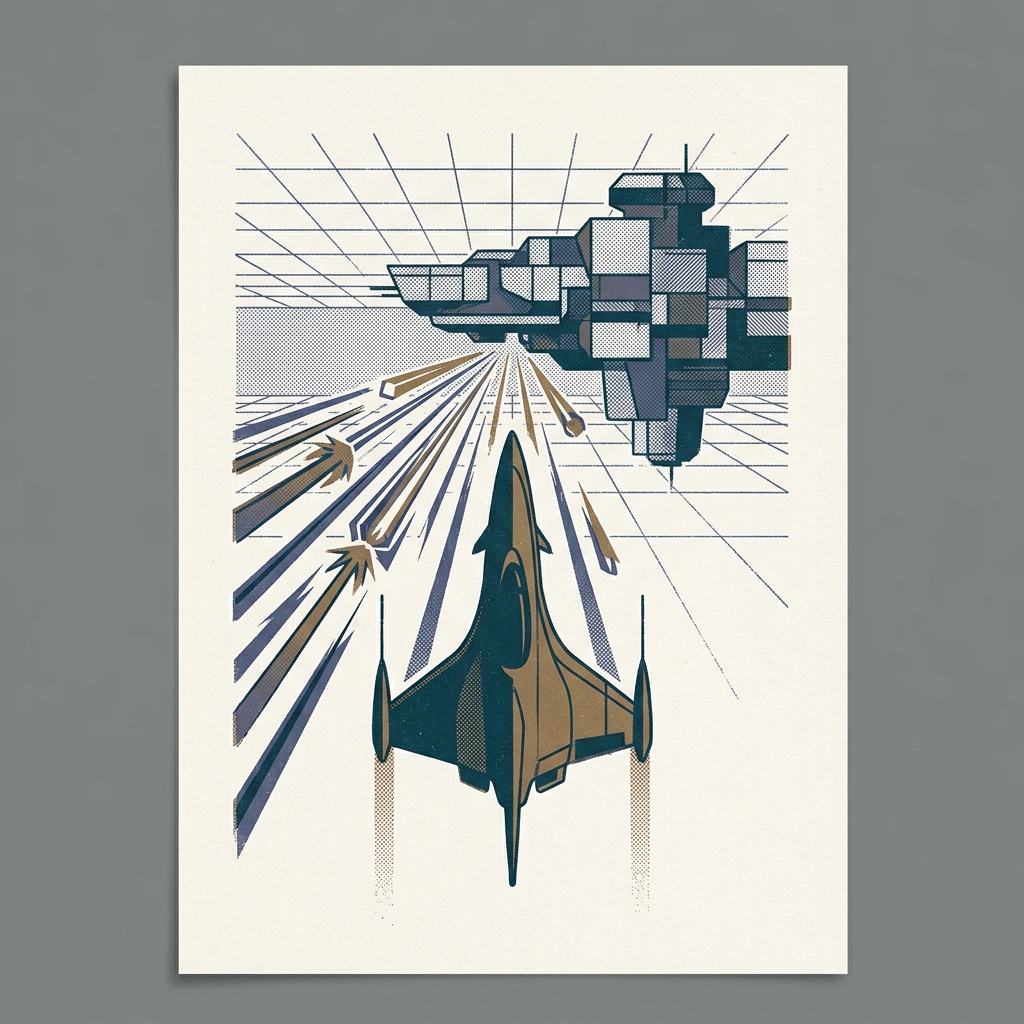 ▶
▶ Family Computer (Famicom) / NES
Star Soldier
スターソルジャー
Star Soldier (1986) is a vertical scrolling shooter, but that is not what makes it matter. What makes it matter is what …
Read more →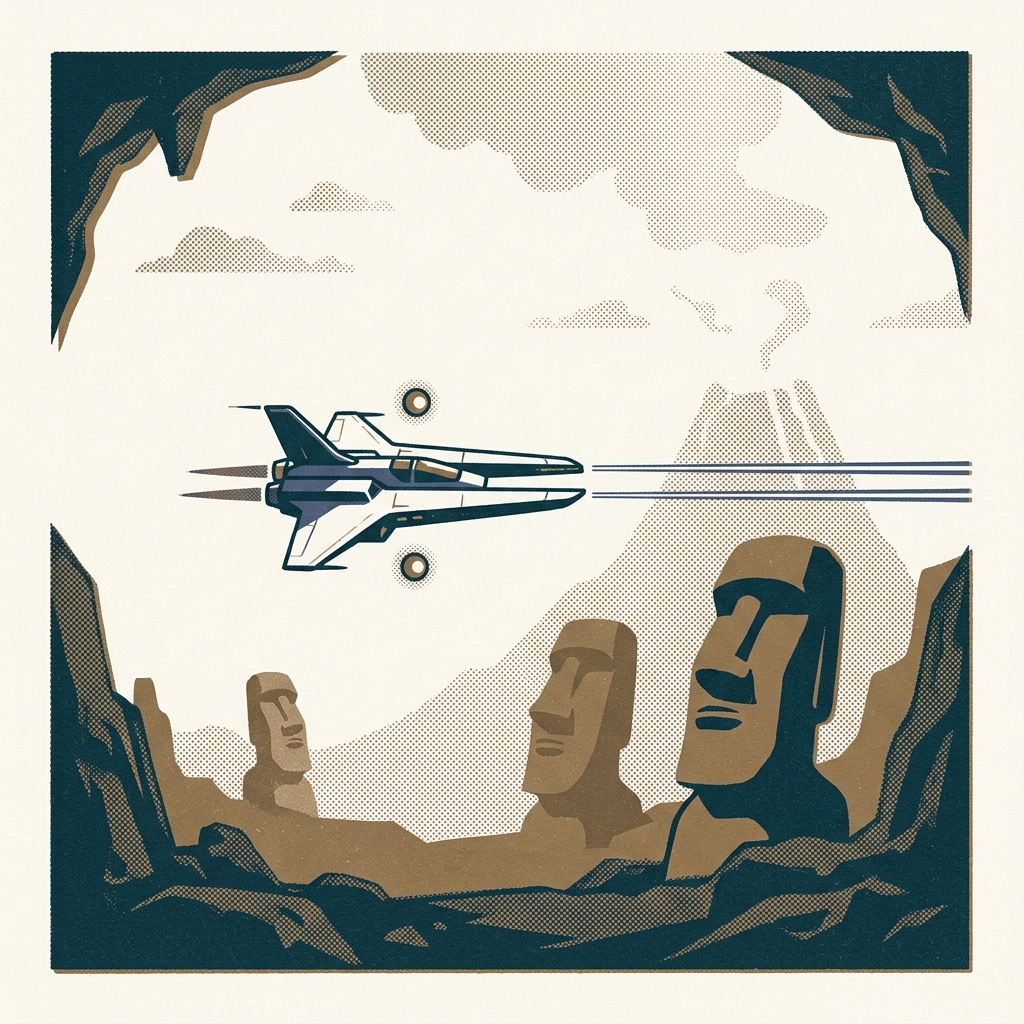 ▶
▶ Family Computer (Famicom) / NES
Gradius
グラディウス
Gradius (1986) arrived on the Famicom as a port of Konami's 1985 arcade hit — and brought with it something no other Fam…
Read more →Explore the Famicom World
📚 Story Collection · read in order The Birth of the Famicom — the people behind the machine Nine human stories, from the president who never played games to the makers who filled the red-and-white box with worlds →The makers
The Famicom was Nintendo's machine, and its 8-bit voice belonged to a handful of composers who taught three square-wave channels to sing.
Deeper cuts
Beyond Mario and Zelda, the Famicom library runs deep — including titles that never officially left Japan. A few worth knowing:
Before the golden age
The Famicom's shelves filled up long before Super Mario Bros. 3. Nintendo was still experimenting, and the studios that would later define the console — Hudson, Square, Koei — were still becoming the companies we know.
Questions people actually ask about the Family Computer (Famicom) / NES
When it arrived
One machine, several dates. The one you remember depends on where you were standing.
Tell it apart
People often meet Family Computer (Famicom) / NES under another name, or mistake it for the machine beside it. These pages exist to settle that.
Hear the sound of this chip — original music composed on the Ricoh 2A03: The Sound of the Machines: Famicom →