Buying a Nintendo GameCube — A Practical Guide
What to think about before you click. Questions worth asking — and what the answers tell you.
Things to watch out for when buying
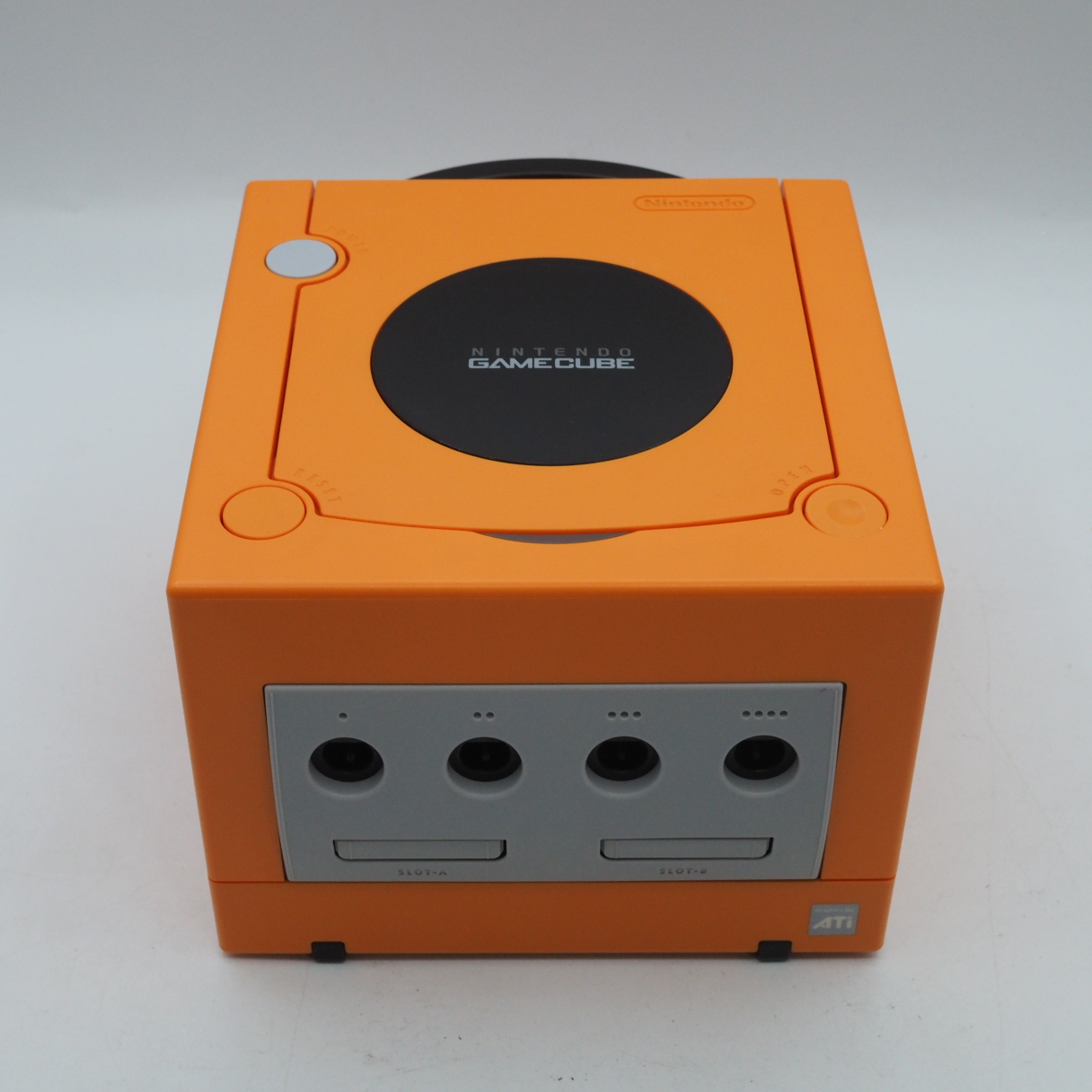
Kenichiro Ashida began drawing the GameCube's body in March 1999, and its controller a month later. In a 2001 interview with the Japanese website Hobonichi, he was asked which side of the cube was its face. He says: "The GameCube is designed so that the top is its face." The disc lid and the power button are both up there, and the laser sits under that lid.
The most important check is the model number, because DOL-001 and DOL-101 look almost the same but connect to a modern TV very differently. After that comes the laser, which is worth testing before any money changes hands. The notes below include what our shop sees on its repair bench in Japan. Quotes from Ashida and from Satoru Iwata are our own translations from Japanese interviews.
The variations of the Nintendo GameCube
Nintendo GameCube (original)
The original GameCube model. It has a second video socket on the back, marked Digital AV Out, which gives component video (480p progressive scan) and is what HDMI adapters such as the Carby and GCVideo plug into.
- Digital AV Out port (480p capable)
- Component/HDMI adapter compatible
- 46W power supply
Identifiable by 'DOL-001' on the console's label. The recommended choice if picture quality matters.
Nintendo GameCube (late model)
A cost-reduced model introduced in 2004. The Digital AV Out socket and the second Serial Port were removed. Without modification, the best video output is S-Video (NTSC) or composite. The Game Boy Player still fits.
- No Digital AV Out port
- Game Boy Player compatible
- S-Video / composite output only (unmodified)
- 48W power supply
More common on the used market. Internal HDMI mods (GCDual) can be fitted by a specialist.
Panasonic Q
A Japan-only collaboration between Nintendo and Panasonic, released in December 2001. Combines full GameCube functionality with DVD, CD, and MP3 playback in a stainless steel enclosure. Carries the Digital AV Out port of DOL-001.
- DVD / CD / MP3 playback
- Digital AV Out port
- Stainless steel housing
- Japan domestic release only
Sold at approximately four times the GameCube's retail price. A sought-after collector item, particularly outside Japan.
Shipping, customs, and what to expect
Buying a GameCube from Japan means an international shipment. A few things are worth knowing before you commit:
- Small, light, and easy to send: The GameCube is one of the more forgiving consoles to import. It is compact and light, with a carrying handle, so shipping cost and packaging are usually modest compared with larger machines. A complete-in-box unit still ships heavier, but a loose console travels well.
- Region locking: The GameCube is region-locked. A Japanese (NTSC-J) console plays the Japanese library; North American and PAL discs are locked out without modification. If you want the Japanese games, Japanese hardware is the natural match — confirm the region of both console and discs.
- Mini-DVD discs and the drive: The GameCube uses small proprietary mini-DVD discs read by an optical drive. As with any disc system, the laser ages; a console that loads several different games reliably has a healthy drive. Ask whether the seller tested with more than one disc.
- The separate power brick: The GameCube uses an external AC adapter (power brick). A Japanese unit ships with a 100V Japanese adapter, so in 120V or 230–240V countries you will need a step-down converter or a correctly-rated replacement brick. Confirm the adapter is included.
- Import duties and tax: Whether — and how much — your country charges on used electronics from Japan changes often, and several thresholds shifted during 2026. Rather than trust a figure that may already be out of date, check your own country's current import rules before you order, and budget for the result.
- Declared value and transit: A responsible seller declares the actual sale price; under-declaring shifts risk to you. EMS typically takes one to two weeks from Japan, with air parcel a reasonable middle ground.
Before you buy — a summary checklist
- Region confirmed (NTSC-J console pairs with the Japanese library)
- Powers on and outputs clean video — tested and stated by the seller
- Loads multiple mini-DVD discs reliably (a sign of a healthy laser)
- Disc lid latches and closes securely; the drive spins up cleanly
- Separate 100V power brick included, or a correctly-rated replacement planned
- Controller tested — every direction, button, trigger, and C-stick registers
- Memory Card included or noted if you need to save progress
- Any extras (Game Boy Player, etc.) confirmed if you are paying for them
- Shipping cost, import duty, and declared-value policy confirmed with seller
- Original box and documentation status is what you want and priced accordingly
Want to know the going rate?
Prices for original Nintendo GameCube hardware vary — condition, revision, and servicing history all affect the figure. Our shop lists hand-tested units with pricing that reflects what each machine is actually worth.
Check current Nintendo GameCube prices and stock at our shop →
Already own one? How to care for a Nintendo GameCube →
Now in the shop
These are the individual pages for units we currently have in stock.
- Konjiki no Gash Bell!! Yūjō Tag Battle Full Power
- Mario Kart: Double Dash!!
- Mario Party 4
- Mario Party 5
- Mario Party 6
- Mario Power Tennis
- Pikmin
- R: Racing Evolution + Pac-Man Vs. Bonus Disc
- Sonic Adventure DX: Director's Cut
- Sonic Mega Collection
- SoulCalibur II
- Star Fox Adventures
- Super Mario Strikers
- Super Mario Sunshine
- Super Monkey Ball (Japan) - Nintendo GameCube Game Disc
- Super Smash Bros. Melee
- Virtua Striker 3 ver. 2002
- Wave Race: Blue Storm