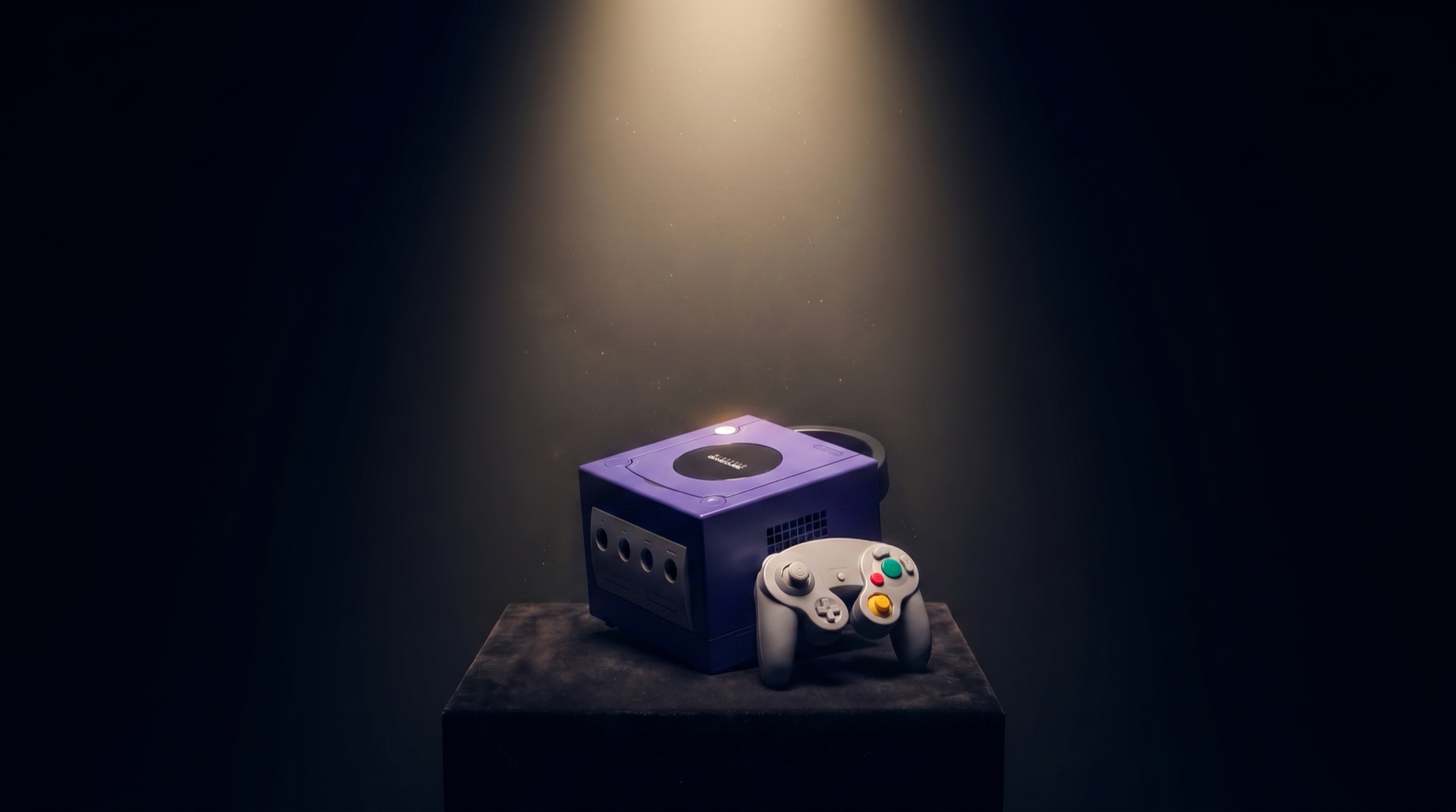
All photographs — genuine units from the Enjoy Game Japan inventory. Toyohashi, Japan.
Nintendo's first disc-based console — game-only by conviction, no DVD playback.
About the Nintendo GameCube
The GameCube (2001–2007) was Nintendo's first disc-based home console. Its compact cubic design, unique handle, and iconic mini-DVD format set it apart. Despite modest sales, it became one of the most beloved platforms of its era — and a collector's favourite today.
Nintendo's most honest machine: no DVD player, no media ambitions — just games.
In 2001, Sony's PlayStation 2 was selling as much on the strength of its DVD player as its games. Nintendo looked at the same market and made a different call: the GameCube would not play DVDs, not play CDs, not position itself as a media device of any kind. The miniDVD format it used was deliberately incompatible with standard players — chosen both because the CSS encryption on regular DVDs had already been broken, and because Nintendo simply was not interested in competing on that ground. The GameCube sold 21.74 million units, finishing third in its generation behind the PS2's 155 million. At the time, that read as defeat. Two decades later, the GameCube is among the most cherished consoles in collector memory — its compact cubic form, the handle on the back, the click of the disc cover. Refusing to be anything other than a game console turned out to be its own kind of staying power.
Design Characteristics
Form & Feel
The GameCube is a near-perfect cube — 150 mm × 161 mm × 163 mm — with a recessed carry handle moulded directly into the top of the chassis. That handle was not an afterthought; it was a statement: this machine wants to go with you. At launch, the console came in Indigo (a bold purple-blue) and Jet Black, with a Platinum silver variant following in 2002. The face buttons on the controller broke from convention entirely: an oversized green A button sits directly under the thumb's natural rest position, flanked by a smaller red B button and kidney-bean shaped X and Y buttons. The dual-stage analogue shoulder triggers — which bottomed out into a digital click — gave developers a tactile precision that few controllers before or since have matched.
Era & Context
The World It Was Born Into
The GameCube launched into the most competitive console generation the industry had ever seen. Sony's PlayStation 2 had arrived a year earlier in 2000, and its built-in DVD player made it a Trojan horse into living rooms — millions of households bought it primarily as an affordable DVD player. Microsoft entered the market in November 2001 with the original Xbox, bringing raw processing power and a hard drive as standard. Sega, Nintendo's longtime rival, had already exited the hardware business when Dreamcast was discontinued in March 2001. The sixth generation was a three-way war, and Nintendo's entry — compact, colourful, and resolutely game-only — was the most unconventional of the three.
Engineering
How It Was Built — and Why
Nintendo chose a proprietary 8 cm mini-disc format — not standard DVD — for three specific reasons. First, it eliminated approximately $20 per unit in DVD Forum licensing fees. Second, the smaller disc and custom encoding made piracy significantly harder. Third, the shorter read path gave faster load times than contemporary full-sized optical drives. The custom IBM "Gekko" PowerPC CPU and ATI "Flipper" GPU were co-designed from the ground up to maximise performance within a compact, low-heat chassis. The controller's dual-stage shoulder triggers — with an analogue travel zone before a physical digital click at the bottom — were an ergonomic response to widespread criticism of the N64 controller's awkward grip and were designed to reduce repetitive-strain injury.
Design Philosophy
The Belief Behind the Machine
"A game console exists to play games."
Nintendo made a deliberate choice in 2001: the GameCube would not play DVDs. While Sony used the PlayStation 2 to colonise living rooms as an entertainment hub, Nintendo refused. The company's position was clear — a game console exists to play games. This was not technological limitation; it was conviction. The carry handle, the bold colours, the miniaturised disc — everything said: this is a machine built for joy, not for utility. Nintendo's belief was that the quality of play mattered more than the breadth of features. The GameCube sold 22 million units worldwide, considerably fewer than the PS2's 155 million — yet the library of games it produced remains one of the most critically celebrated of any console generation. The machine that finished third in the market may have won on the thing Nintendo cared about most.
Birth Story
How the GameCube Was Born
Arriving in a Changed World
Launched in Japan on September 14, 2001 — three days after September 11 — Nintendo's GameCube entered a world that had fundamentally changed in ways no console launch had navigated before. Its North American debut, on November 18, 2001, came three weeks after the Xbox. Globally, the PS2 had already sold tens of millions of units. The GameCube was late, and the market it was entering was more crowded than any Nintendo had faced.
The Deliberate Refusals
Nintendo's answer was deliberate refusal. The GameCube would not play DVDs. It would not connect to the internet at launch. It used small, proprietary optical discs instead of standard DVDs — a choice that limited storage but also made piracy harder and loading speeds faster. The GameCube was, in the language of its time, defiantly not a home entertainment centre. It was a game machine that played games. Every feature the competition was adding, Nintendo declined.
The Philosophy of Touch
Shigeru Miyamoto, reflecting on the era, noted that the PS2 and Xbox 'didn't really feel good in the hands.' The GameCube controller is the expression of the opposite conviction. The ergonomic housing fits the hands without adjustment. The face buttons are sized and weighted to their frequency of use — the large A button dominant, the B button secondary, the X and Y buttons placed to prevent mistaken presses. The Z button is a trigger hovering in empty space, precisely where the index finger naturally rests. The GameCube controller was not designed for a feature list; it was designed for a hand.
Small in Numbers, Large in Ideas
What makes the GameCube historically significant is not its sales performance — 21.74 million units, compared to the PS2's 155 million — but its software philosophy. Pikmin introduced a new genre: the real-time strategy game scaled to a single player's intuition. Luigi's Mansion launched an entire console with a game that was not about saving a princess but about vacuum-cleaning a haunted house, played by the wrong brother. Chibi-Robo asked players to clean a toy-sized robot and look after a family. These were not safe commercial bets. They were experiments in what games could feel like.
The Lesson That Became the Wii
Nintendo studied the GameCube's results carefully. The question they asked was not 'how do we compete with Sony and Microsoft on their terms?' but 'who isn't playing games, and why not?' The answer became the Wii — motion controls, accessible design, a return to the living room as a social space. The Wii sold over 100 million units. The DS, released the same year as the GameCube's commercial peak, sold over 154 million. Nintendo's escape from the hardware race it was losing was built on lessons the GameCube had taught.
A Beautiful Defeat
The GameCube is the console that failed commercially and succeeded philosophically. It is the machine whose designers, years later, would be credited with having defined Nintendo's creative direction for a generation. The four controller ports — a deliberate statement that games are most alive when played together in the same room — are still cited by players who grew up with the machine as the single design decision that captures what the GameCube was. Twenty years on, the tezawari — the feel in the hands — remains as the thing its players remember most.
Six Things Collectors Remember
A machine this loved leaves a long trail of small stories — in its accessories, its discs, even its startup sound and its colours. Six that are worth knowing before you call yourself a GameCube person.
The GameCube that played DVDs — built by Panasonic
Nintendo refused to put a DVD drive in the GameCube — but it licensed someone else to do it. In December 2001, Panasonic (Matsushita) released the Q (model SL-GC10) in Japan only: a full GameCube fused with a DVD, CD and MP3 player inside a brushed stainless-steel body, priced at roughly four times a standard console. Fewer than 100,000 were made before it was discontinued on December 18, 2003. It remains the only complete GameCube ever manufactured by a company other than Nintendo.
The wireless controller that arrived a generation too early
In 2002 Nintendo released the WaveBird (model DOL-004), a wireless GameCube controller that connected through a small receiver plugged into the controller port. Unlike the infrared wireless pads that had failed before it, the WaveBird used 2.4 GHz radio — no line of sight required, effective to about six metres. It dropped only one feature from the wired pad: rumble, omitted to preserve battery life. Widely regarded as the first practical wireless console controller, it pointed straight at the Wii Remote that would follow.
A secret in the startup sound, hidden for 23 years
The GameCube's familiar boot chime hides an alternate version. Hold the Z button on a connected controller while powering on, and the rolling logo plays with a different sound — chimes, what sounds like a baby's rattle, and a giggle. Hold Z on controllers in all four ports at once and a third variation plays. The Easter egg was built into the original 2001 firmware, but went largely unnoticed by the public until it spread widely around 2024 — more than two decades after launch.
It brought surround sound to game consoles
The GameCube was the console that introduced Dolby Pro Logic II to gaming. The encoding was built by Factor 5 — the German studio behind the Rogue Squadron games — as part of its MusyX audio toolkit, announced with Dolby Laboratories on April 22, 2002. It produced motion-based surround through an ordinary stereo connection, with no digital output required. It was the first time a Nintendo home console carried surround sound at all.
Copy protection burned in by a separate laser
Nintendo's 8 cm discs carried a layer of protection most consoles never had: the Burst Cutting Area, a barcode-like pattern etched into the inner ring of each disc by a high-powered YAG laser during manufacturing. Consumer disc drives could not write — or even read — that frequency, so at launch the discs were effectively impossible to duplicate with available hardware. Combined with the unusual mini-disc size, it kept the GameCube comparatively free of piracy for years.
The orange GameCube was Japan's alone
In Japan the GameCube launched in one colour only — Indigo, the purple that became its face. Jet Black and an orange variant arrived on November 21, 2001, ten weeks later, and North America launched that same month with Indigo and Jet Black together; Platinum (silver) followed in November 2002. The one collectors chase hardest was never sold in the West: Spice Orange, a bright tangerine console released only in Japan and bundled with a matching orange controller. Japan kept several others to itself too — Symphonic Green (a Tales of Symphonia bundle), Starlight Gold, Crystal White, a black Hanshin Tigers edition, and a two-tone red Char's Custom from Gundam. The plain indigo box most of the world remembers was, in Japan, only the beginning of the palette.
Reflection
What Lasts
Nintendo studied the GameCube's results with unusual honesty. The machine had sold 21.74 million units — respectable, but far behind the PlayStation 2's 155 million. The question most companies would have asked was: how do we compete better next time? Nintendo asked a different question.
Satoru Iwata — who had become Nintendo's president in 2002, the year after the GameCube launched — framed it precisely: the industry was expanding, but the people buying game consoles were not. A ceiling had been reached. The pool of people who would buy a PlayStation 2 was roughly the same pool who had bought a PlayStation. To grow the market, you had to find the people who weren't in it.
"Who isn't playing? And why not?"
The answer was people who found existing controllers intimidating. People who wanted to play with their families but felt the gap between experienced and inexperienced players was too large. People who associated gaming with sitting alone in a dark room. Iwata and Shigeru Miyamoto saw these people not as an obstacle but as an invitation.
The Wii — announced in 2005, launched in 2006 — sold 101 million units. The DS, released the same year as the GameCube's commercial peak, sold 154 million. The path from GameCube to Wii is the path from a company trying to win a competition to a company deciding to play a different game entirely.
The GameCube taught that lesson. Some defeats are the most valuable thing a company can experience — if they are studied with enough honesty to see what they were really saying.
Before You BuyWhat to watch for, so you don't regret it
Kenichiro Ashida began drawing the GameCube's body in March 1999, and its controller a month later. In a 2001 interview with the Japanese website Hobonichi, he was asked which side of the cube was its face. He says: "The GameCube is designed so that the top is its face." The disc lid and the power button are both up there, and the laser sits under that lid. The most important check is the model number, because DOL-001 and DOL-101 look almost the same but connect to a modern TV very differently. After that comes the laser, which is worth testing before any money changes hands. The notes below include what our shop sees on its repair bench in Japan. Quotes from Ashida and from Satoru Iwata are our own translations from Japanese interviews.
Full buying guide →Caring for One You OwnKeeping a vintage machine running
The GameCube was built for the living room, but most of them have spent the last two decades in storage. What ages inside a GameCube ages predictably. The laser lens, the cooling fan, the controller sticks — these are the places time works. Most of it is manageable with basic care. Some of it calls for a specialist.
What ages inside a GameCube
- The optical drive laser lensThe most common GameCube failure. Laser output weakens with age, causing discs to be read inconsistently or not at all. Symptoms: black screen after disc insertion, loading errors, unusually long boot times. DOL-101 lasers are reported to wear faster than DOL-001 by the collector community. A GameCube that reads discs cleanly today is in better shape than most.
- Drive board capacitorsThe optical drive has its own independent circuit board, separate from the main board. Capacitors on this board can degrade over time, causing voltage instability that leads to disc read failures. If cleaning the lens does not resolve read errors, this is the next thing to investigate. Repair requires soldering.
- Cooling fan dust buildupDust drawn through the side vents accumulates in the fan over years of use, reducing cooling efficiency and raising the risk of thermal issues during extended play sessions.
- Controller analog stick driftThe analog sticks on GC controllers wear with use, eventually causing drift — unintended movement without input. This accelerates with heavy play in movement-intensive games. The stick modules can be replaced; plug-in replacement options that require no soldering are available.
- Disc cover hingeThe plastic lid hinge is a known weak point. Cracks typically appear at the base of the lid where it meets the console body. This is cosmetic rather than functional, but fragile enough that forcing a stiff lid can cause it.
What you can do
- Clean the laser lensOpen the disc cover and locate the laser lens assembly. Use a microfibre cloth or lens tissue — cotton swabs are not recommended as fibres can remain on the lens surface. A small amount of isopropyl alcohol (70–90%) can be used if needed; allow it to dry completely before use. This is worth trying before any other repair.
- Clear the fan and ventsFrom the outside: aim compressed air at the side vents to dislodge dust. For internal cleaning: the GameCube opens with a 4.5mm gamebit screwdriver. With the console open, use a soft brush and compressed air around the fan. Once per year is a reasonable interval for stored or regularly-used consoles.
- Laser potentiometer adjustment (intermediate)A small variable resistor on the drive board controls laser output and can be adjusted with a precision flat-head screwdriver. For DOL-001, the baseline range is approximately 450–600 ohms; for DOL-101, approximately 150–250 ohms. Adjust in very small increments — no more than a few degrees at a time — and test after each change. Excessive output can damage discs. This is a last resort before lens replacement, not a first step.
- Controller stick replacementSolderless replacement stick modules are available from third-party suppliers. Note that some replacement sticks have reported voltage issues that cause the controller to reset during rumble events. Source from a reputable supplier, or source a genuine Nintendo replacement module and solder it in.
- Disc handlingStore discs in their cases. When cleaning, wipe from the centre outward in a straight line — never in a circular motion. Do not use abrasive cloths. The miniDVD format is smaller than a standard disc, which means scratches affect a proportionally larger area of the readable surface.
Where specialist work begins
The GameCube is well-supported by the repair community — iFixit guides and the gc-forever forum cover most common failures in detail. But some repairs involve soldering or precision work that benefits from experience.
- Full laser lens replacementWhen cleaning and output adjustment do not resolve read failures, the laser assembly itself needs replacement. iFixit rates this repair as 'difficult.' Replacement part quality varies; sourcing from a known supplier matters more than it does for most consumer electronics repairs.
- Drive board capacitor replacementReplacing degraded capacitors on the optical drive board requires soldering and the ability to identify the correct components. If disc read failures persist after lens cleaning and adjustment, this is the next step — and the point at which most owners hand the console to a specialist.
- HDMI output modificationFor DOL-001, external adapters (Carby, GCVideo) connect to the Digital AV port and require no soldering. For DOL-101, internal HDMI modules (GCDual and similar) attach directly to the board and require soldering work. The output quality difference is significant for modern displays, but the modification itself should be treated as a specialist job unless you are comfortable with board-level soldering.
- Fan replacement and thermal serviceWhen the fan develops bearing noise or reduced rotation speed, replacement is the solution. Combined with reapplication of thermal compound on the CPU and GPU, a full thermal service can meaningfully extend the console's stable operating life.
The Sounds and Images of an Era
The GameCube had a presence that went beyond hardware specs. These videos capture the machine as it was — on television, at startup, in the shops.
TV Commercial
Startup Sound
Enjoy Plus Pack
Game Commercials 2001-2002
Game Boy Player CM
Of all the consoles that pass through our hands, the GameCube is the one that makes people stop and smile. There is something about that little handle — it says "take me with you." We have shipped hundreds of GameCubes to collectors across 30+ countries. Every one of them carries a story.
Representative Games
A handful of titles that define this console — each with a shop owner's note, collector's guide, maintenance tips, and memory prompts. The complete library is one click away.
 Uncommon ▶
 Nintendo GameCube
killer7
killer7(キラー7)
In 2003, Tadayuki Nomaru was a college student drawing part-time at Grasshopper Manufacture. His first job there was kil…
Read more →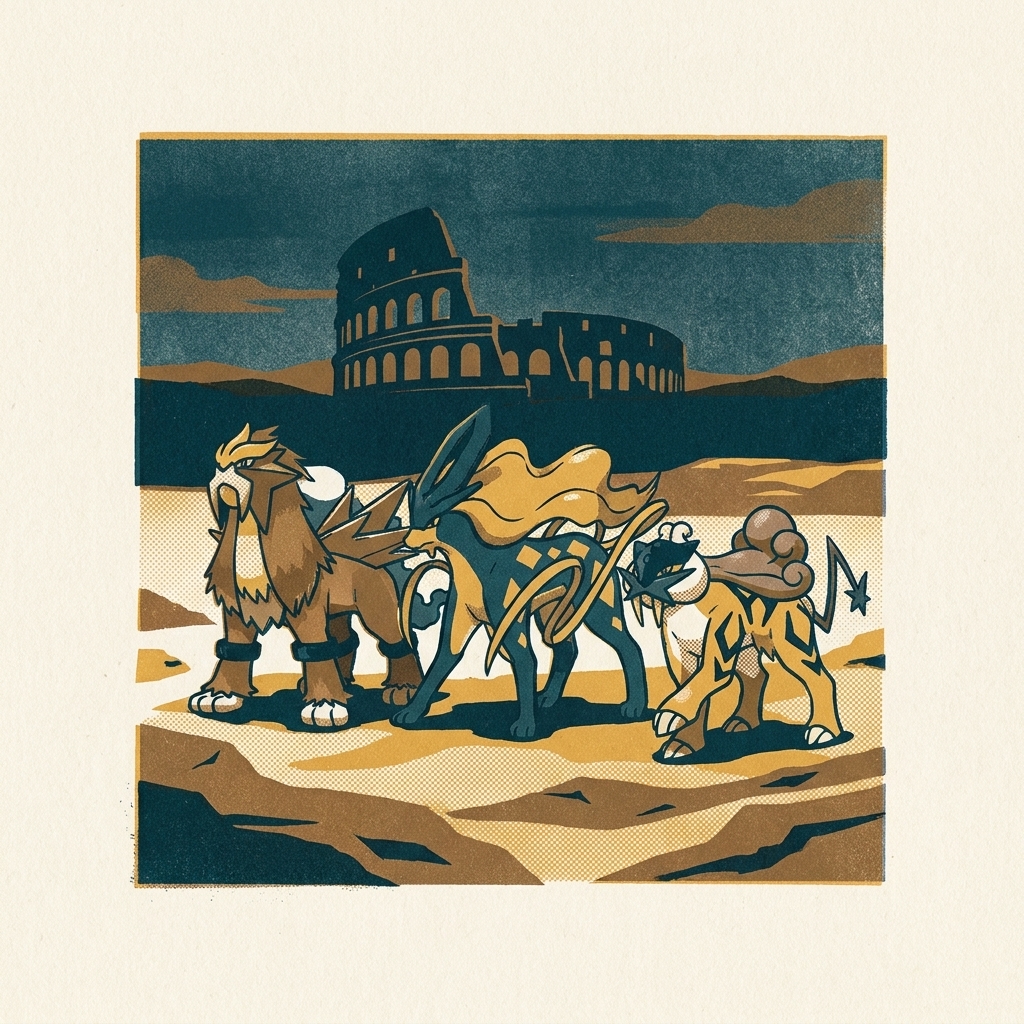 ▶
▶ Nintendo GameCube
Pokémon Colosseum
ポケモンコロシアム
Released in 2003, Pokémon Colosseum was the first full RPG adventure in the mainline Pokémon tradition on home console h…
Read more →GameCube — Quick Answers
- When did the GameCube come out?
- The Nintendo GameCube was released in Japan on September 14, 2001, in North America on November 18, 2001, in Europe on May 3, 2002, and in Australia on May 17, 2002.
- What is the GameCube's release date?
- The GameCube launched first in Japan on September 14, 2001 at ¥25,000, followed by North America on November 18, 2001 at US$199.99. It was Nintendo’s first console to use optical discs rather than cartridges.
- When was the GameCube discontinued?
- Nintendo ended GameCube production in 2007, after the launch of its successor, the Wii, in late 2006. The Wii retained full backward compatibility with GameCube discs and controllers.
- What discs does the GameCube use?
- The GameCube uses a proprietary 8 cm optical disc based on miniDVD, holding about 1.5 GB. The smaller discs helped combat piracy, but meant the console could not play standard DVDs or CDs.
- Is the GameCube region locked?
- Yes. The GameCube is region-locked: a Japanese (NTSC-J) console plays Japanese discs, and a North American (NTSC-U) console plays North American discs. PAL, NTSC-J, and NTSC-U regions are not cross-compatible without modification.
- What colors did the GameCube come in?
- Japan launched with one colour only — Indigo (purple). Jet Black and an orange variant were added on November 21, 2001, while North America launched that month with Indigo and Jet Black together; Platinum (silver) arrived in November 2002. Japan also received exclusive colors never sold in the West — most famously Spice Orange — along with limited editions such as Symphonic Green, Starlight Gold, Crystal White, a Hanshin Tigers edition, and a red Char's Custom Gundam model.
- What is the Spice Orange GameCube?
- Spice Orange is a bright orange GameCube console released only in Japan, bundled with a matching orange controller. Because it was never sold in North America or Europe, it is one of the most sought-after standard GameCube colors among collectors today.
- How do you clean a GameCube?
- Clean the exterior with a dry or lightly dampened microfibre cloth, and use compressed air on the disc-drive opening and controller ports. Avoid solvents on the shell. For drive and internal cleaning, see our GameCube care guide.
GameCube Titles Worth Your Time
Two GameCube games that pushed the console into unusual territory — both documented with historical background, condition notes, and collector context.
- killer7 Suda51 constructed a narrative that resisted explanation by design. Capcom published it; Grasshopper Manufacture made it. The on-rails structure was not a limitation but a choice. A game that provoked argument about what games could be, on hardware that rarely provoked argument about anything.
- Pokémon Colosseum Genius Sonority brought Pokémon to the GameCube with a darker premise than the mainline series: Shadow Pokémon with closed hearts, snagged from corrupt trainers and slowly purified through battle. The only mainline-adjacent Pokémon RPG released on a home console.
Explore the GameCube World
The studios
The GameCube was Nintendo's machine, and it drew bold work from its own teams and trusted partners.
The engineer
As head of Nintendo's hardware research, one engineer guided the design of the GameCube and its controller.
Deeper cuts
Beyond the headline titles, the GameCube hides some of its generation's boldest ideas:
Questions people actually ask about the Nintendo GameCube
When it arrived
One machine, several dates. The one you remember depends on where you were standing.
Tell it apart
People often meet Nintendo GameCube under another name, or mistake it for the machine beside it. These pages exist to settle that.
Keeping it alive
A machine that still runs is worth more than a machine that once did.